
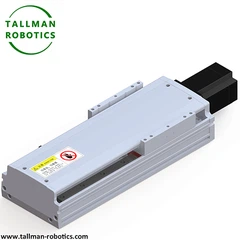


Hey there! As a supplier of cam indexers, I've seen my fair share of issues with these nifty devices. Cam indexers are super useful in all sorts of industries, from manufacturing to packaging. They help with precise and repeatable motion, but like any mechanical thing, they can run into problems. In this blog, I'm gonna walk you through how to troubleshoot cam indexer failures.
1. Understanding the Basics of Cam Indexers
Before we jump into troubleshooting, let's quickly go over what cam indexers are. A cam indexer is a mechanical device that converts continuous rotational motion into intermittent motion. It's got a cam and a follower, and when the cam rotates, the follower moves in a specific pattern, giving you that intermittent movement. There are different types, like Motorized Cam Indexer, Repeatable Cam Indexing Device, and Cam Indexing Module. Each type has its own unique features and applications.
2. Common Symptoms of Cam Indexer Failures
2.1 Erratic Indexing
One of the most common issues is erratic indexing. This means the indexer isn't moving in the precise intervals it's supposed to. You might notice that the stops are off, or the movement is jerky. This can be a real pain, especially in applications where precision is key.
2.2 Excessive Noise
If your cam indexer is making a lot of noise, that's a red flag. It could be a sign of wear and tear, or there might be something loose inside. Normal operation should be relatively quiet, so any loud grinding, rattling, or squealing noises need to be checked out.
2.3 Overheating
Overheating is another problem. If the indexer gets too hot, it can damage the components and reduce its lifespan. You can usually tell if it's overheating by feeling the surface. If it's too hot to touch, there's definitely an issue.
2.4 Inconsistent Torque
In some cases, you might notice that the torque required to operate the indexer is inconsistent. This could mean that there's a problem with the motor, the cam, or the bearings.
3. Troubleshooting Steps
3.1 Visual Inspection
The first thing you should do when you suspect a problem is a visual inspection. Check for any obvious signs of damage, like cracks, chips, or worn-out parts. Look at the cam and the follower to see if there's any excessive wear. Also, check the mounting bolts to make sure they're tight. Loose bolts can cause all sorts of problems, including erratic indexing.
3.2 Lubrication Check
Proper lubrication is crucial for the smooth operation of a cam indexer. Check the lubricant level and its condition. If the lubricant is dirty or low, it can cause increased friction and wear. Make sure to use the right type of lubricant recommended by the manufacturer. If the lubricant has been contaminated, you'll need to drain it and refill it with fresh lubricant.
3.3 Alignment Check
Misalignment can cause a lot of issues with cam indexers. Check the alignment of the motor, the cam, and the driven components. Use a straightedge or a laser alignment tool to make sure everything is in line. Even a small misalignment can lead to erratic indexing and premature wear.
3.4 Electrical System Check
If you're using a motorized cam indexer, the electrical system could be the culprit. Check the wiring for any loose connections, frayed wires, or short circuits. Make sure the motor is getting the right voltage and current. You can use a multimeter to test the electrical components.
3.5 Bearing Inspection
The bearings in a cam indexer are critical for smooth rotation. Check the bearings for any signs of damage, like excessive play or rough spots. If the bearings are worn out, they'll need to be replaced. You can use a bearing puller to remove the old bearings and install new ones.
3.6 Cam and Follower Inspection
The cam and the follower are the heart of the cam indexer. Inspect them for wear, damage, or misalignment. If the cam or the follower is worn beyond the recommended limits, they'll need to be replaced. You can use a micrometer or a caliper to measure the dimensions of the cam and the follower to see if they're still within spec.


4. When to Call in the Professionals
Sometimes, the problem might be too complex for you to handle on your own. If you've gone through all the troubleshooting steps and still can't figure out what's wrong, it's time to call in the professionals. A trained technician will have the expertise and the tools to diagnose and fix the problem quickly.
5. Preventive Maintenance
The best way to avoid cam indexer failures is through preventive maintenance. Here are some tips:
- Regular Inspections: Schedule regular visual inspections to catch any potential problems early.
- Lubrication Schedule: Follow the manufacturer's recommended lubrication schedule.
- Clean Environment: Keep the cam indexer in a clean environment to prevent dirt and debris from getting inside.
- Proper Installation: Make sure the cam indexer is installed correctly in the first place.
6. Contact Us for Your Cam Indexer Needs
If you're having trouble with your cam indexer or if you're looking to purchase a new one, we're here to help. As a leading supplier of cam indexers, we have a wide range of products to choose from, including Motorized Cam Indexer, Repeatable Cam Indexing Device, and Cam Indexing Module. Our team of experts can assist you in selecting the right product for your application and provide you with the support you need. So, don't hesitate to reach out to us for all your cam indexer needs.
References
- Manufacturer's manuals for cam indexers
- Industry standards for mechanical motion devices
- Technical articles on cam indexer maintenance and troubleshooting


